
The quick answer: build a short loop with drums, bass and one musical motif, then turn it into a structure using pauses, changes in density and small variations. Don’t start with mastering or a plugin collection. First, the beat should work at a normal level, leave space for future vocals and use sounds you have rights to.
What makes up a beat?
In everyday use, “beat” can mean a drum pattern or an entire song’s instrumental backing. For production, think of it as an arrangement draft with rhythm, low end, harmonic support, a main motif and development over time.
Not every element needs to play at once. Empty space is part of the arrangement: if every part is constantly upfront, vocals will struggle to take center stage.
Step 1. Choose your software and tempo
Any environment that lets you program notes and drums, move audio clips and export will work for a first project. See our desktop DAW comparison or the separate guide to BandLab, GarageBand, FL Studio Mobile and Koala on phones.
Choose the tempo by listening to the movement you want. A genre name can suggest a starting range, but pauses, bass note lengths and hi-hat subdivisions change how the same pattern feels. Turn on a metronome, make a few bars and check whether the music moves with the right character.
Step 2. Build the drums and find the groove
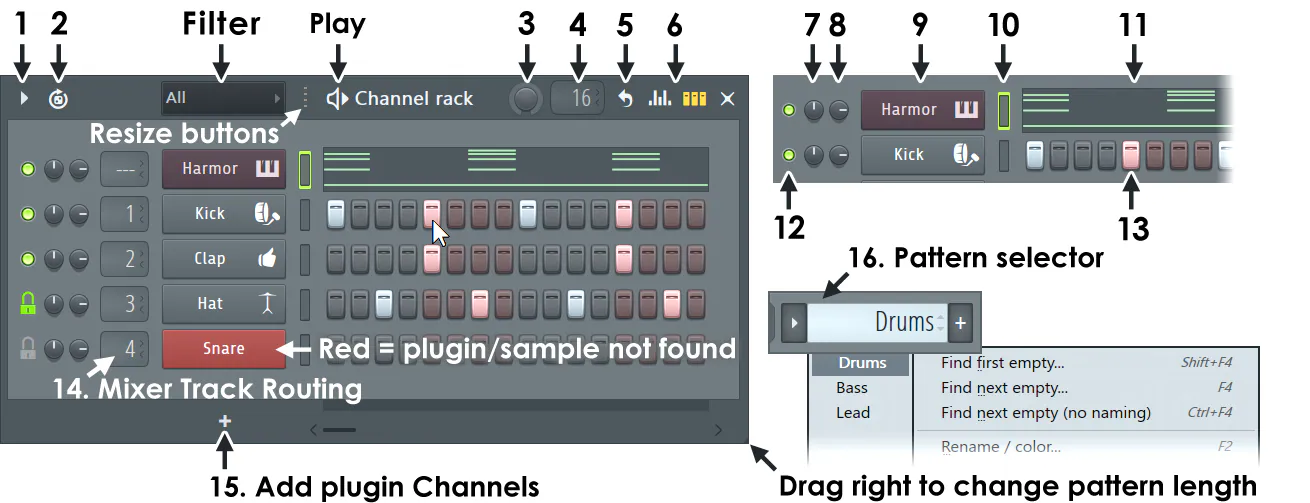
Start with a minimal kick and snare or clap pattern. Listen without a melody, then add hi-hats and percussion. If the rhythm only comes alive after ten layers, revisit the core accents: they may not support one another.
- Vary strength and duration. Identical notes with identical attacks often sound mechanical.
- Leave gaps. A missing hit can create more movement than another sound.
- Give variations a purpose. A small change before a new section helps listeners feel the transition.
- Compare at low volume. The main accents should remain clear without relying on sheer loudness.
Don’t quantize every note automatically just because you can. First listen to whether a strict grid improves this particular pattern’s feel.
Step 3. Connect bass and drums
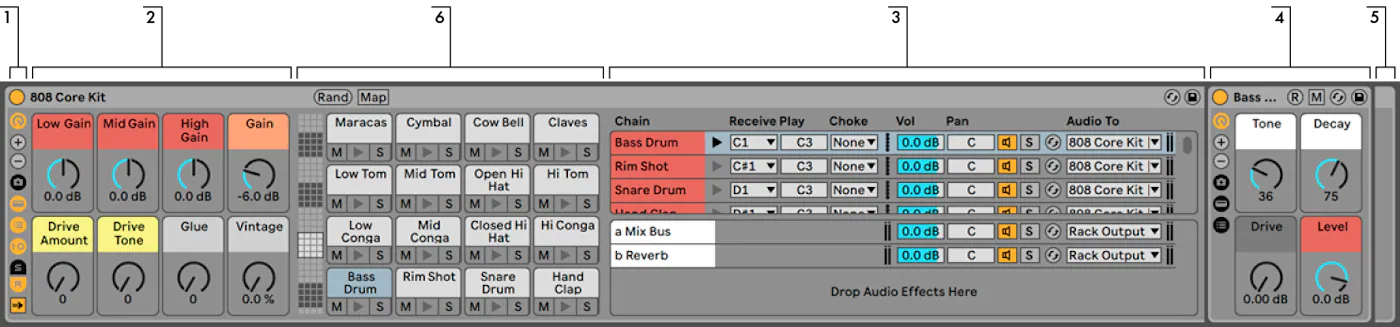
Bass supplies both rhythm and harmony. Begin with a simple part and a small number of notes. Check when each note starts relative to the kick, how long it lasts and whether it masks the next hit. Sidechain compression isn’t the only answer: changing rhythm, octave, duration or level may be enough.
Switch the mix to mono and listen on small headphones or a speaker. This won’t reveal the deepest bass, but it helps show whether the part stays clear through its rhythm and upper harmonics.
Step 4. Add harmony and one main motif
For a first beat, a complete simple progression beats complex harmony you can’t develop. Record chords or a stable musical layer, then try a few short melodies and keep the one you can hum after a pause.
If you’re stuck, try the same notes with different instruments. Timbre changes a part’s character without rewriting the composition. You can make an alternative draft with creator AI music. Download your chosen MP3 and keep it locally; generation uses a separate AI balance. For a release, refine it and export a WAV or M4A master. Obtain explicit confirmation of commercial rights to the AI result: the public distribution agreement alone does not grant that license.
Step 5. Turn the loop into an arrangement
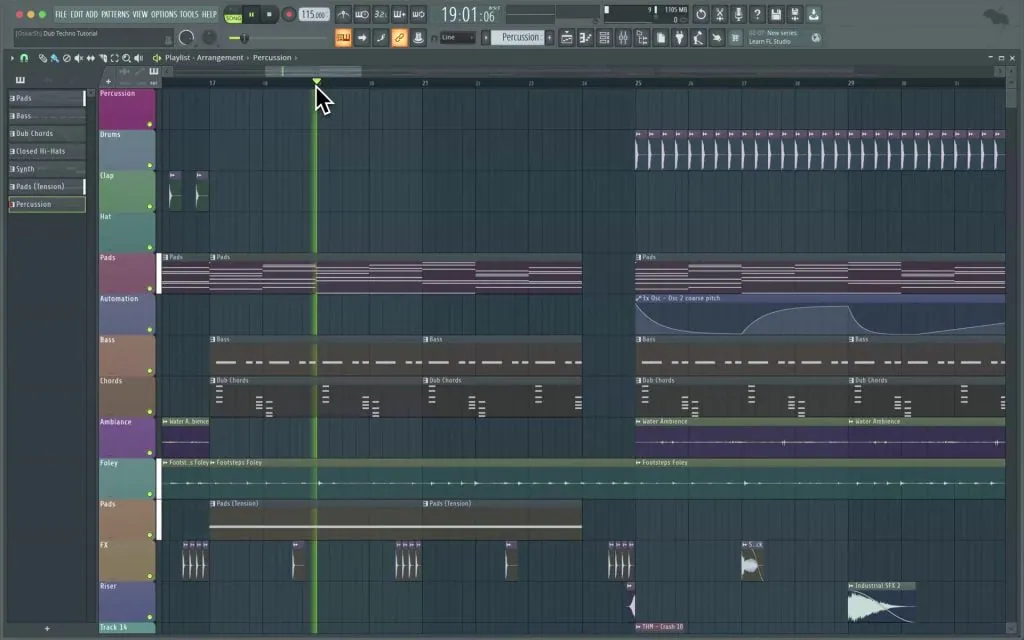
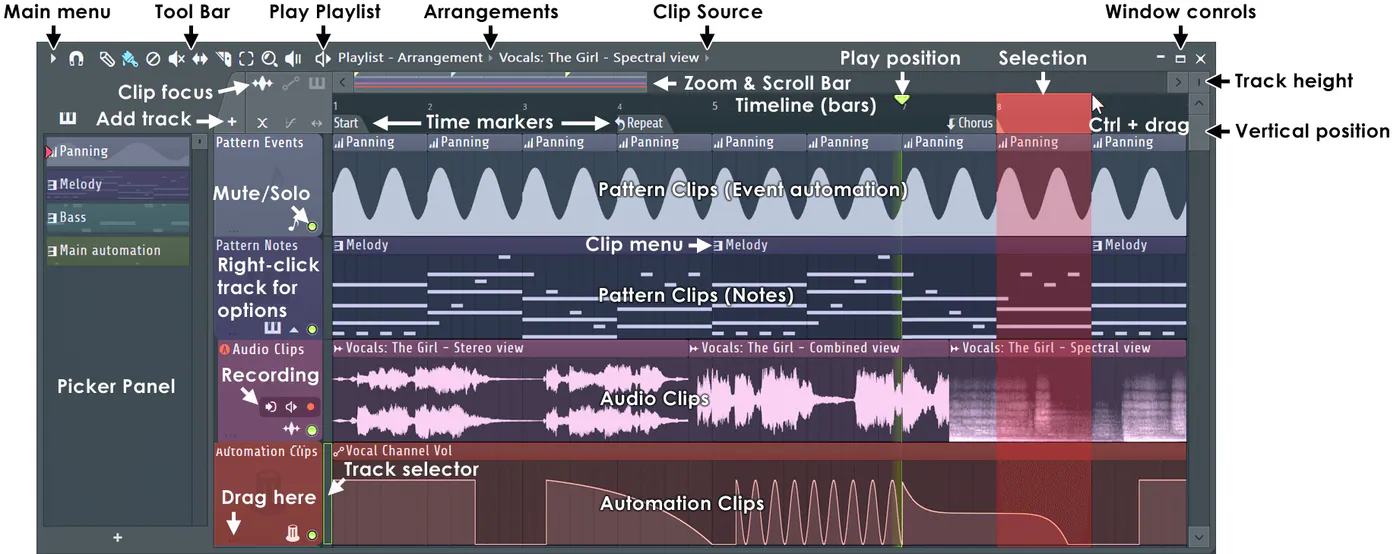
Place copies of your loop along the timeline and change density before rewriting notes. An intro can introduce a distinctive sound; the main section reveals drums and bass; a contrasting section removes an anchor or changes register; the ending brings familiar material back in a changed form.
| Problem | Check this first |
|---|---|
| Every section sounds the same | Density, register, pauses and element lengths |
| Transitions feel random | Preparation before the change and a shared motif afterward |
| There’s no room for vocals | Whether melody and chords constantly occupy the vocal register |
| The beat loses energy | Changes in core accents and contrast between sections |
Rights to samples and sounds
A sample in a free pack still has a license. Check commercial release permissions, credit requirements, restrictions on reselling the sound alone, and Content ID rules. Save the license page, date and proof of obtaining the pack.
- You know the pack’s source and creator
- The license permits music releases
- Commercial use terms are clear
- There is no restriction on Content ID or separate registration
- The clip wasn’t taken from someone else’s song, film or video
- License evidence is saved with the project
Our music copyright guide covers copyright and neighboring rights. If a license is unclear, replacing the sound before recording vocals and releasing is safer.
Export for recording and mixing
Save the project and make a stereo listening version first. If vocals and final mixing happen elsewhere, export tracks with a common start point and clear names. Don’t send a working master through a messaging app that may compress it.
Next comes recording your song at home. After recording the individual parts, the project is mixed; the finished stereo mix is then mastered.