The quick answer: mastering is the final check and processing of a finished stereo mix before release. Confirm that balance and editing are complete, compare against references at matched loudness, address only audible overall issues, check loudness and True Peak for the intended use, and export a lossless master. No single loudness level applies to every platform.
How mastering differs from mixing
Mixing gives you individual tracks, so you can change vocal, bass or drum levels. In traditional mastering, the engineer receives one stereo mix and works on the whole song. Every adjustment is connected: adding treble affects more than the vocal, and compression responds to the entire program.
| If you hear… | Where to return |
|---|---|
| One instrument consistently too loud | The mix |
| A bad edit or noise in one take | Editing and mixing |
| A slight overall tonal imbalance | Assess during mastering |
| Peaks and distortion after raising loudness | Check mastering and the source mix |
| Inconsistent character across release tracks | Coordinate the mixes and album mastering |
If your mix is still changing, follow our mixing guide. A louder export doesn’t make a project ready for mastering.
Step 1. Check the source mix
- Balance and panning are approved throughout
- No digital clipping or accidental master-bus limiter
- Edits, clicks and endings have been checked
- Essential creative processing is retained or described
- Export goes directly from the project to a lossless format
- You have the mix version, notes and relevant references
Don’t demand a particular amount of headroom just because a number is common online. What matters is no unwanted clipping and clear engineer requirements. Modern digital processing supports different working levels, but preventing clipping by leaving sensible headroom is easier than repairing the damage.
Step 2. Listen before processing
Import the mix into a separate session and note overall tone, section dynamics, unwanted peaks, noise, clicks and energy drops. Add one or two relevant commercial references and compare at similar perceived loudness.
Level-matched comparison is essential: a louder version often seems brighter and more detailed without an actual improvement. Bypass the whole chain regularly and compensate for level differences.
Step 3. Use only the processing needed
Not every song needs every stage. If EQ, compression and widening are enabled just because someone else’s preset uses them, compare with bypass. Fewer changes may make a better master.
Fix problems before enhancing strengths. A limiter raises not only the useful material, but remaining resonances, noise and distortion too.
Loudness and True Peak, without a magic number
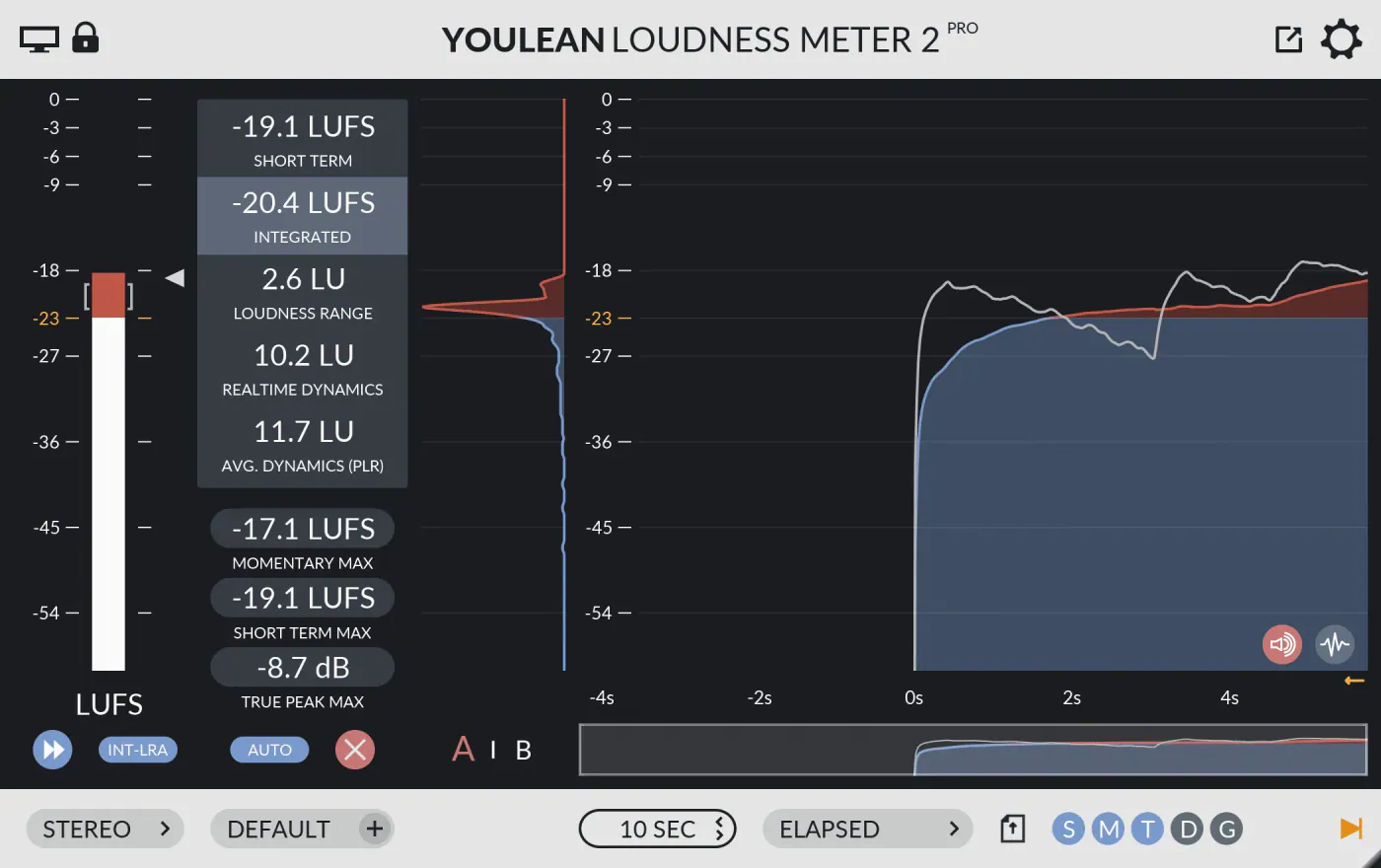
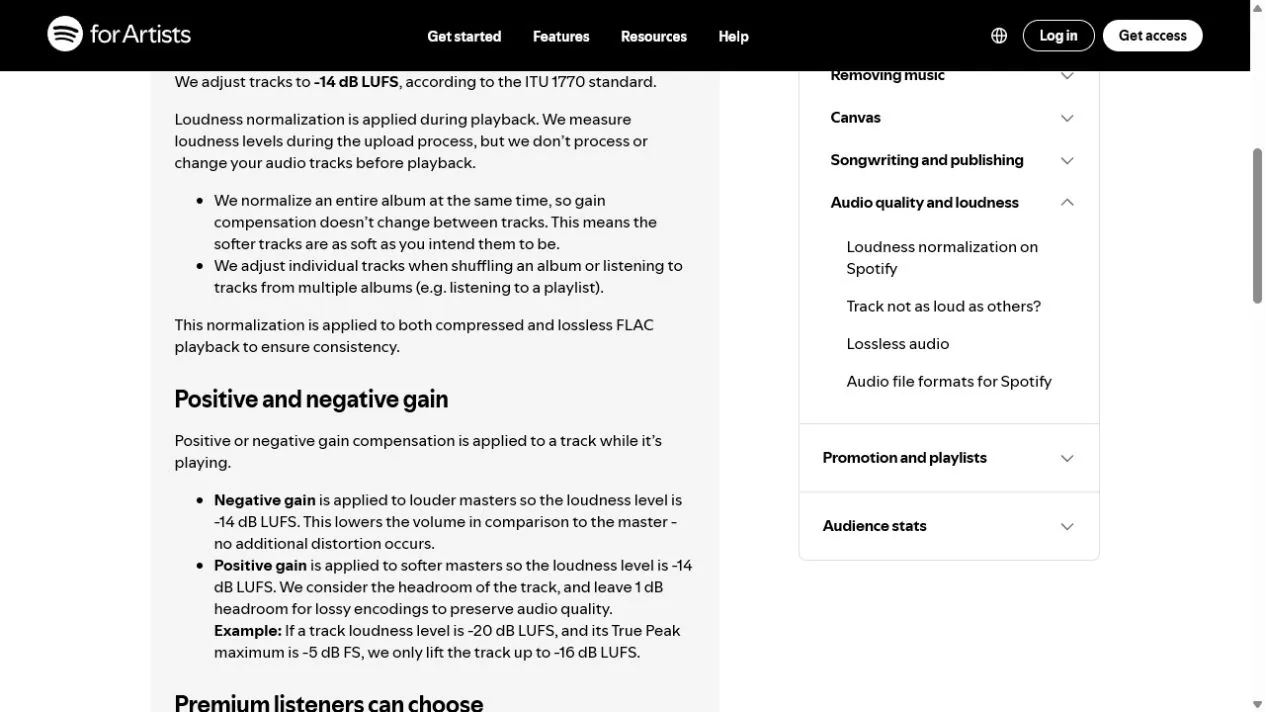
Spotify normalizes playback to −14 LUFS integrated. Its current guidance is to keep peaks below −1 dBTP, or below −2 dBTP for masters louder than −14 LUFS. These are Spotify-specific recommendations, not universal mastering targets for every platform.
If a master exceeds the normalization level, the service usually turns it down during playback. Heavy dynamic limiting won’t create an advantage from the number alone and may expose artifacts. Judge loudness alongside attack, distortion, genre and intended use.
Normalization changes playback level. It doesn’t automatically remake the artistic balance of your file. Behavior can vary by device, mode and service.
Check encoding and different systems
Apple’s Digital Masters tools let you audition AAC-encoded results and detect clipping. Even without releasing under that label, the principle is useful: make an encoded copy for checking, but retain and deliver the original lossless master.
- Listen to the beginning and end for cutoffs and unwanted silence.
- Check the loudest hits and dense passages after encoding.
- Compare stereo and mono, wired headphones, a familiar speaker and your phone.
- Check at low volume: the main part and rhythm should retain their hierarchy.
- Make a separate listening pass for clicks, noise and technical errors.
Final export
Save the main master losslessly at the project’s original sample rate. Confirm bit depth, container and additional versions with the distributor or client. Apply dither once, at the final stage when reducing bit depth. Don’t change gain, fades, processing or sample rate afterward. If you aren’t reducing bit depth, dither isn’t needed.
Label versions so the final file can’t be confused with a mix or preview. Keep the mastering project, original mix print, final lossless master and separate promotional copies.
When to hire a mastering engineer
An outside engineer is especially useful if a long mixing process has cost you perspective, you don’t trust the room, you’re preparing several tracks as one release, or you hear a problem without knowing which change will solve it. Hiring someone doesn’t guarantee an artistic outcome. Agree on references, formats, versions and revision counts first.
After approving the master, prepare cover art using our cover art guide and follow the full release checklist. creator’s AI cover generator is a separate paid tool with its own balance. Download the 3000×3000 JPG from the gallery, check content and commercial rights, then attach it manually in the release form. Paying for generation alone does not confirm rights to an AI image.