The short answer: you cannot upload a track directly to VK Music’s official catalog. You send a WAV, cover art, and metadata to a distributor. After review, the release appears on VK Music, receives an artist profile, and becomes eligible for monetization. See our VK Music distribution page for release terms.
How music reaches VK Music
VK, a Russian social network with more than 100 million users, has built music into its everyday features: tracks play in short videos, Stories, and profile music widgets. VK Music is its streaming service. You cannot release music there directly as an artist.
There is no direct self-upload route to VK Music. Unlike a video-sharing site, it does not let artists sign in and publish a single themselves. VK accepts official releases only from accredited distributors and labels. Music enters its catalog through a partner such as creator.
The distributor checks music rights and metadata and is accountable to the platform for the material it delivers. That is why VK does not accept official release files directly from millions of users.
Uploading audio to your personal VK social profile is different. It is an attachment to a post, rather than an official release: it does not appear in VK Music search, earn royalties, or enter recommendations. Artists have accumulated thousands of plays this way without earning anything, because official distribution is required for monetization.
Audio uploaded to a personal VK profile is not an official release. Even thousands of plays will not put it into VK Music search, monetization, or recommendations.
Official release or profile upload: what changes?
- Upload to your profile: friends and followers can see it, but there is no artist profile, release analytics, or royalties, and no inclusion in VK Music search or recommendations.
- Official release through a distributor: your track appears in the VK Music catalog with cover art and metadata. You get access to VK Studio, royalties from subscriber streams, and eligibility for algorithmic selections such as VK Mix and editorial playlists.
Your artist profile and VK Studio
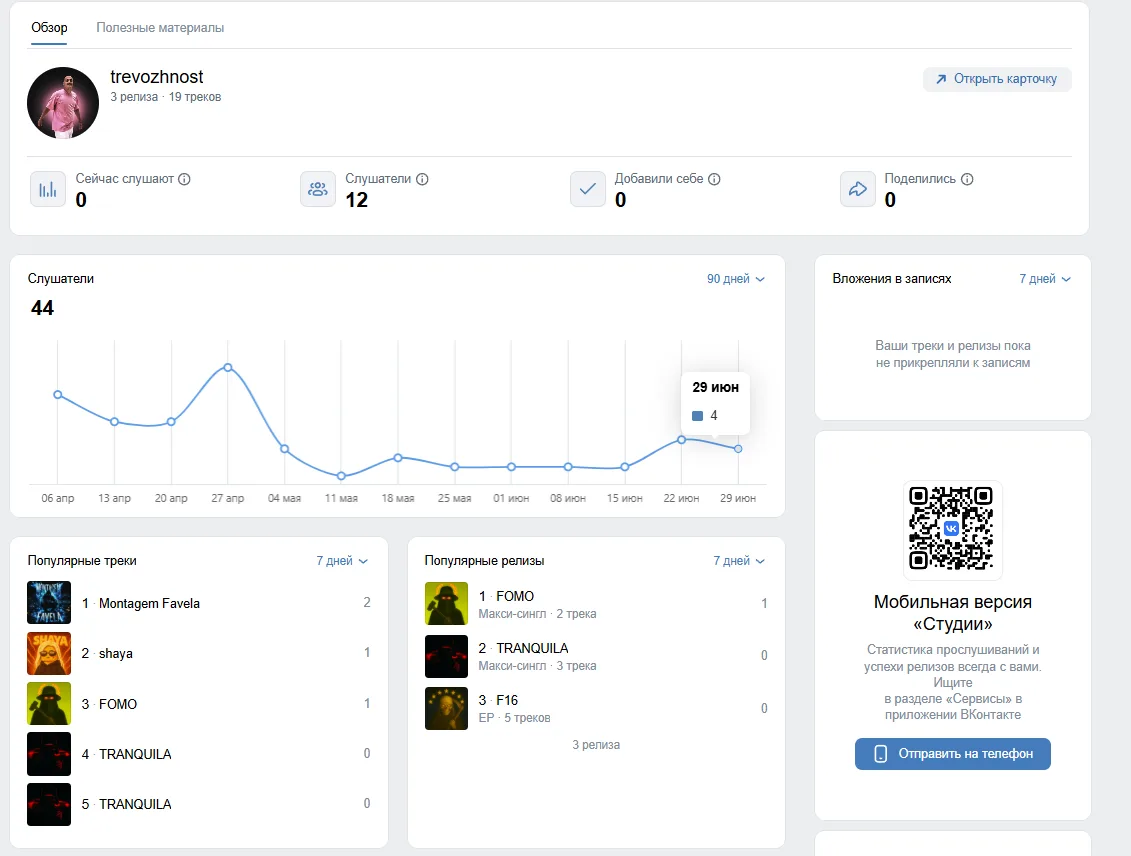
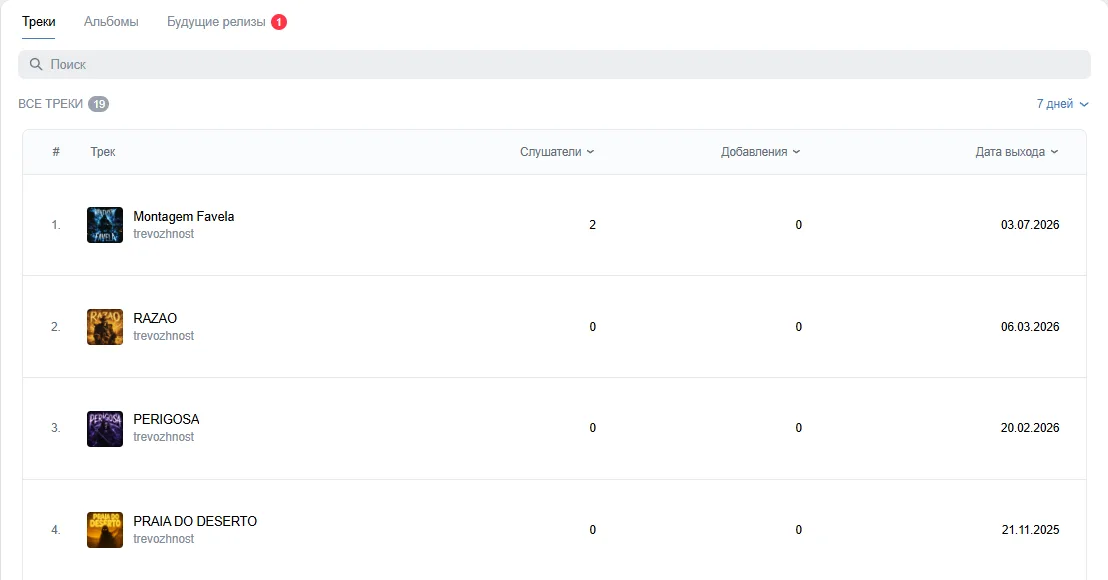
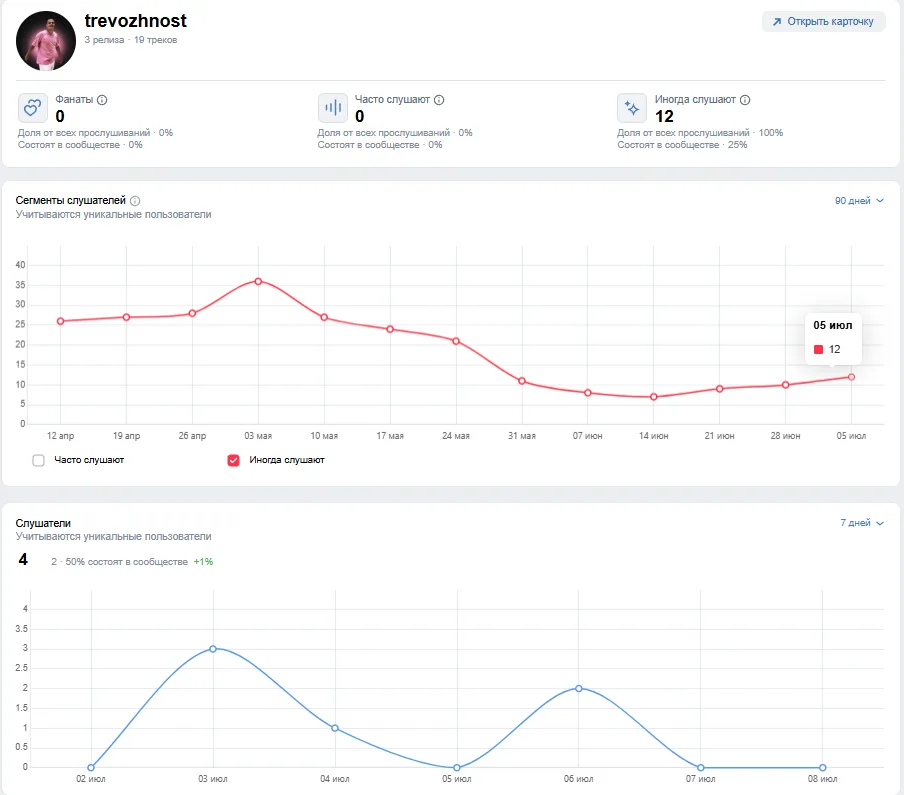
After your distributor releases your first track, VK Music automatically creates an artist profile containing your tracks, albums, and artist information. Manage it in the free VK Studio dashboard at vk.com/studio. Sign in with your regular VK account; no separate registration is required.
VK Studio has three sections. Overview shows your top listener cities and audience growth after release. Music breaks down streams and saves by track and shows chart and editorial playlist placements. Audience covers demographics, geography, and other artists your listeners follow, which can help you plan collaborations. You can also see listening sources: the artist profile, search, feed, and forwarded messages.
Use the Team section to give a manager or label representative access without contacting VK support.
Technical release requirements
Audio is accepted as a 16-bit, 44.1 kHz WAV file. Cover art is required: a 3000×3000-pixel JPG.
Cover content has its own rules. Do not use photographs or illustrations you do not have rights to, unauthorized likenesses of other people, film or game characters without permission, famous paintings, or pictures simply found online. If someone appears on the cover, you need permission covering both the photograph and the model. Calls to action such as “listen to my album” are also prohibited.
Review takes an average of 1–5 business days, after which the release is delivered to VK Music and your other connected platforms.
VK Mix: how quickly tracks enter recommendations
VK rebuilt its recommendation system around a unified Discovery platform, shared across recommendations, search, and advertising in its products. VK says that after this update, new tracks start appearing in VK Mix in under 30 minutes after release—24 times faster than before.
These figures come from VK’s official announcement, not independent testing. Treat them as a stated benchmark rather than a guarantee. A track is first tested with the listeners most likely to care, usually the artist’s fans. Their response helps the algorithm decide whether to recommend it more widely.
On Fridays, the busiest release day, tracks released that day commonly occupy VK Mix’s top three recommendations. By the end of the week, recent releases make up around half of its top ten.
Clips and Stories as discovery signals
VK Clips, the network’s short-video feature, uses a separate music library that does not exactly match the VK Music catalog. A track available for streaming may be absent from Clips, and vice versa. The Clips library is intended for noncommercial use; advertising videos need separate permission or music from the Free License section.
Every clip featuring your track creates another opportunity for someone to hear it. However, VK does not publish a formula directly linking use in Clips to music playlist rankings. Judge Clips by measurable results—clicks, saves, and listener growth in VK Studio—rather than treating them as a guaranteed way to trigger recommendations.
Community verification: do you need a badge?
A blue verification badge on an artist’s VK community page is not required for distribution. It can improve visibility and listener trust, including feed and search priority. Sources give different application thresholds, roughly 5,000–10,000 followers, together with regular activity: at least four posts and ten Stories per month. VK publishes no exact official follower count, so treat those numbers as a guide. A simpler gray badge also allows profile advertising and a link from the artist profile to your social account.
How much VK Music pays
VK does not publish a fixed per-stream rate. It uses a shared revenue pool funded by VK Combo subscriptions and advertising for free listeners. An artist’s share depends on their portion of streams in the reporting period. Payments come through a distributor, not directly from VK.
Industry estimates—not official VK figures—suggest around ₽150–350 per 1,000 streams, broadly comparable to Yandex Music and usually lower than Spotify. The range varies considerably with the share of paying subscribers in your audience. It is a guide, not a promise.
VK publishes no official per-stream rate. Industry estimates suggest ₽150–350 per 1,000 streams; payouts come from a revenue pool rather than a fixed price for each play.
Artists on creator keep 80–95% of this amount, depending on their plan. Russian-market payouts are made quarterly in rubles. International payouts via PayPal are coming soon. Your earnings are safely accrued in your balance in the meantime. Our guide to music royalties explains how different platforms calculate earnings.
Why VK Music matters for Russian-language artists
- Upload your master, cover art, and accurate metadata ahead of time
- Check that the release matches your existing artist profile
- Request VK Studio access after release
- Complete the profile and connect your official community
- Prepare several clips using different parts of the track
- Compare listening sources and saves after the first week
For independent artists making music in Russian, much of the audience is concentrated on Yandex Music and VK Music. Apple Music and Spotify serve a smaller share of that particular audience. If you sing in Russian and want listeners in Russia, these two local streaming services represent the core of your market. International artists reaching the same audience should understand their role too.
Promoting your release inside VK
An official release gives you catalog access and eligibility for recommendations, but you still need to promote the track. Practical steps within VK include:
- Maintain your artist community. Share announcements, behind-the-scenes material, and new-song clips. Your community is the audience that responds first to each release. VK Mix’s mechanics suggest that response can help wider discovery.
- Make your own clips. Do not wait for someone else to use your song. A vertical video with your track is a natural way to introduce the sound and gain initial views without a budget.
- Ask listeners to share it to Stories. Each share introduces the song to that listener’s friends.
- Ask your distributor about pitching. VK Music curates themed editorial playlists. Submitting a release in advance gives it a better chance of consideration than sending it after release.
Release on VK Music through creator
- Register at creatormusic.ru and choose a plan, starting at ₽549/month.
- Prepare a 16-bit, 44.1 kHz WAV and 3000×3000 cover art without unauthorized people, photos, or calls to action.
- Complete the metadata and, if needed, set the start of the snippet used in Clips. The default starts at the 60-second mark.
- Submit for review. Our review usually takes about a day; VK adds another 1–5 days after delivery by the distributor.
- After release, visit vk.com/studio, connect your community to your artist profile, and finish setting it up.
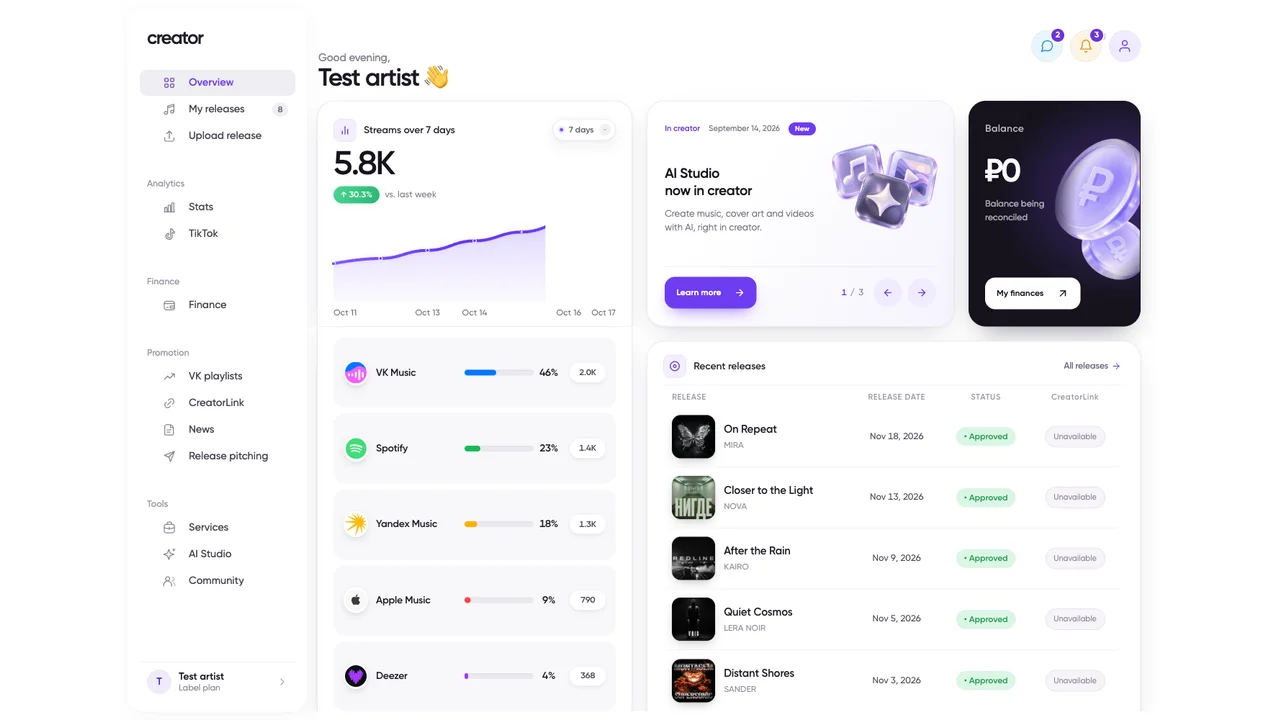
Prepare the release once and deliver it to 70+ platforms, including VK Music, Yandex Music, Spotify, Apple Music, Deezer, TikTok, and YouTube Music. There is no need to prepare separate uploads. Since Yandex and VK account for most traffic for many independent Russian-language artists, reaching both makes more sense than duplicating the work for one platform.
New artists are sometimes told to test a single platform first. For Russian-language music, serving both major local services avoids missing listeners who look for you on their preferred app.
Check the result after delivery
Open the direct release link and artist profile on each platform that matters to you. If the recording is missing, use our delivery, release-date, and territory checklist. If it appears under another artist with the same name, gather the information in our artist profile correction guide. Do not submit a duplicate before identifying the cause.